








Swiss Applied AI & Cybersecurity Research Lab
The open-source security harnessSelf-evolvingMulti-LLMExtensible
The engine behind our products and research breakthroughs.
Find novel vulnerabilities in the deepest layers of software.
Quick install
curl -fsSL https://raw.githubusercontent.com/0sec-labs/0/main/install.sh | bash
Let our 0-days do the talking.
3+ billion
devices run software
we have secured.
- 30+
- merged 0-days in the Linux kernel
- 500+ CVEs
- confidential disclosure
- 30+
- software systems
The whole stack
Securing the software behind the world’s leading technology companies.
From our public record.
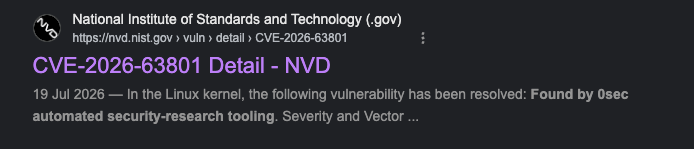
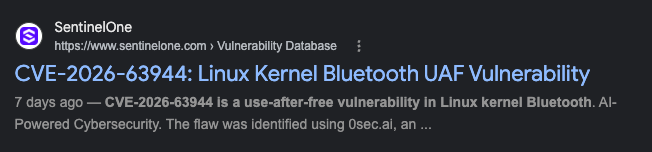

Give agents the tools to find and fix vulnerabilities.

Self-improving

Multi-model



Open source

Extensible
The Swiss Army knife for offensive cybersecurity.
The first self-evolving
cyber harness
Open research
Benchmark-led agent design
A/B-tested attack strategies
Available on
Strategies informed by our verified findings
Extensible tools
In-house security linter
Add your custom tools
Available on
Purpose-built attack runtime
Curated offensive toolchain
Custom security testing tools
State-of-the-art security testing tools
Multi-model harness
Deterministic workflow
Adaptive agents
Available on
Optimized Model Routing: The best LLM for each step
Frontier cyber models (non-public)


Self-improvement
Proposes its own code changes
Evaluates before future runs
Available on
Attack-path insights guide testing
Run locally or through the CLI in CI/CD. Inspect findings and verification results, then export reports as JSON, Markdown or SARIF.
Explore the workflowsSecurity workflowExample
TriggerManual / CI/CD
- Start runLocal CLI or CI/CD
- Review targetSource, dependencies & configuration
- Verify findingsInspect supporting evidence
- Export reportJSON / Markdown / SARIF
 Cursor
 Claude Code
- Codex
 Gemini CLI
 GitHub Copilot
 OpenCode
Copy these instructions, then paste them into your coding agent.
Set up the open-source 0 CLI in this project using https://0.security/harness/setup.md. Read https://0.security/llms.txt, check the installed help and discover workflow templates. Help me choose a security workflow. Reuse my existing model connection, targets, scope and limits; ask for what is missing. Keep confirmed findings separate from unverified leads and propose fixes for review.